Accessibility in Web Design: How to Build Inclusive Websites That Everyone Can Use

A good website should not only look impressive. It should also be easy for people to understand, navigate, read, and use. That sounds simple, but many websites still create barriers for visitors without meaning to.

Some users may have low vision. Some may rely on screen readers. Some may use only a keyboard. Others may be older, temporarily injured, using a mobile phone outdoors, dealing with a slow connection, or simply trying to complete a task quickly while distracted.

That is why accessibility in web design matters. It is not just about meeting technical guidelines or avoiding legal problems. It is about creating websites that work better for real people in real situations.

When accessibility is treated as part of the design process from the beginning, the result is usually a clearer, faster, more usable website for everyone.

Accessibility Is About Real Users

Many people think accessibility only applies to a small group of users with permanent disabilities. In reality, accessible design helps a much wider audience.

For example, captions help people who are deaf or hard of hearing, but they also help someone watching a video in a noisy place. High contrast helps users with low vision, but it also helps anyone reading a screen in bright sunlight. Clear form labels help people using assistive technology, but they also reduce confusion for every visitor.

Accessible design is really about removing friction. It asks a simple question: can different people use this website comfortably, regardless of their device, ability, environment, or level of technical confidence?

That mindset leads to better design decisions.

Start With Clear Structure

One of the most important parts of accessibility is structure. A website should be organized in a way that makes sense visually and technically.

Headings should follow a logical order. The main title should be clear. Sections should be grouped properly. Menus should be easy to understand. Buttons and links should describe what they do.

This helps all visitors scan the page, but it is especially important for people using screen readers. A screen reader can help users jump between headings, links, and sections, but only if the page is structured correctly.

For example, a service page should not jump randomly from a main heading to small decorative headings and then back to another major section without order. A blog post should not use headings only because they look good visually. Headings should describe the content below them.

Good structure makes the website easier to understand, easier to navigate, and easier for search engines to interpret as well.

Use Readable Text and Strong Contrast

Text is one of the most important parts of any website. If people cannot read the content comfortably, the design has failed, no matter how attractive the layout looks.

Readable typography includes font size, line spacing, paragraph length, color contrast, and spacing between sections. Small gray text on a white background may look elegant in a mockup, but it can be difficult to read for many users. Thin fonts may look stylish but can create problems on mobile screens.

Strong contrast between text and background is especially important. Visitors should not have to strain to read basic information. Buttons should also stand out clearly from the surrounding design.

Accessibility does not mean every website must look plain. It simply means visual choices should support usability. A brand can still have personality, color, and style while remaining readable.

Make Navigation Simple

Navigation is one of the first places where accessibility problems appear. If a visitor cannot find what they need, the website becomes frustrating.

Menus should be clear, predictable, and easy to use. Too many menu items can overwhelm users. Vague labels such as “Solutions” or “Resources” may work in some cases, but they should be used carefully. If visitors cannot tell what a menu item means, they may not click it.

Accessible navigation should also work with a keyboard. Some users cannot use a mouse and instead move through the page using the Tab key. If a menu, dropdown, form, or button cannot be reached by keyboard, that creates a serious barrier.

A visible focus state is also important. When a user tabs through a page, they should be able to see where they are. Removing focus outlines just because they look unattractive is a common design mistake.

Design Forms With Care

Forms are often where users take important actions. They contact a business, request a quote, subscribe, register, book an appointment, or make a purchase. If forms are difficult to use, the website may lose enquiries and conversions.

Accessible forms should have clear labels, helpful instructions, and useful error messages. A placeholder inside a field is not enough because it can disappear once the user starts typing. Labels should remain visible or clearly associated with each field.

Error messages should explain what went wrong and how to fix it. For example, “Invalid input” is not very helpful. “Please enter your phone number using only numbers” is much better.

Forms should also avoid asking for unnecessary information. Long forms can discourage users, especially on mobile devices. The easier the form is to complete, the more likely people are to use it.

Write Link Text That Makes Sense

Links should be descriptive. A visitor should understand where a link will take them without needing to read the entire surrounding paragraph.

Generic link text such as “click here” or “read more” is not ideal, especially when repeated many times on the same page. It gives very little context to people using screen readers or scanning quickly.

Better link text describes the destination. For example, “view our pricing plans,” “download the accessibility checklist,” or “read our website redesign guide” is more useful than “click here.”

This small habit improves accessibility, usability, and content clarity at the same time.

Think Beyond Visual Design

Many accessibility issues happen when a website is designed only for how it looks on a large desktop screen. But users interact with websites in many different ways.

Some visitors zoom in. Some use voice commands. Some use screen readers. Some browse from a phone. Some have color blindness. Some are not fluent in the language. Some have cognitive challenges that make complex layouts harder to follow.

This is why businesses get better long-term results from websites designed around real user needs rather than designs that only look polished in a presentation. A website should be planned around clarity, comfort, and practical user journeys.

When design decisions are made with real users in mind, accessibility becomes a natural part of the process rather than a last-minute fix.

Use Images Responsibly

Images can make a website more engaging, but they should not create barriers.

Important images should include alternative text that explains their purpose. This helps users who cannot see the image understand what it communicates. However, decorative images do not need long descriptions. The goal is not to describe every pixel, but to provide useful context.

For example, if an image shows a company’s team, the alt text might say, “Team members at the company office.” If an image is purely decorative, it can be handled in a way that screen readers skip it.

Avoid placing important text inside images whenever possible. If the text is part of the image, it may not be readable by assistive technology, and it may scale poorly on mobile devices.

Make Video and Audio Content Accessible

If a website uses video or audio, accessibility should be considered there too.

Videos should include captions when speech is important. Captions help people who are deaf or hard of hearing, but they also help users who cannot listen with sound. If the video contains important visual information, a transcript or written summary can also be useful.

Audio content should include transcripts where possible. This helps people who cannot hear the audio, but it also helps users who prefer reading or want to quickly find a specific point.

Media should also avoid autoplaying with sound. Unexpected audio can be disruptive and confusing, especially for screen reader users.

Keep Motion Under Control

Animations can make a website feel modern, but too much motion can harm accessibility and usability.

Some users experience discomfort from excessive movement. Others may find animations distracting. Large animated sections, fast-moving sliders, parallax effects, and auto-playing carousels can make it harder to focus on the content.

Motion should have a purpose. It can guide attention, show progress, or make an interaction feel smoother. But if an animation only exists to impress, it may not be worth the cost.

A good accessibility practice is to respect users who prefer reduced motion. Websites can be designed to limit animations for people who have selected that setting on their device.

Accessibility Supports Better Mobile UX

Mobile accessibility is especially important because small screens already create limitations. Text, buttons, menus, and forms need to be easy to use with one hand, on different screen sizes, and sometimes in imperfect conditions.

Buttons should be large enough to tap. Links should not be placed too close together. Text should be readable without zooming. Menus should not be confusing. Popups should not cover the entire screen or become impossible to close.

A mobile-friendly website is not automatically accessible, but good mobile UX and accessibility often support each other. Both are about making the experience easier for the user.

Test With Real People and Real Tools

Accessibility should not be based only on assumptions. Testing is important.

Automated tools can help identify issues such as missing alt text, low contrast, heading problems, or form label errors. However, automated testing cannot catch everything. A website may technically pass some checks and still feel confusing to real users.

Manual testing is also valuable. Try navigating the website using only a keyboard. Increase text size and see if the layout still works. Check pages on a phone. Ask someone unfamiliar with the website to complete a basic task.

The goal is not perfection on the first attempt. The goal is progress and awareness.

Accessibility Can Decline Over Time

A website may launch with good accessibility, but that does not mean it will stay that way forever.

New pages may be added without proper headings. Images may be uploaded without alt text. Plugins may change form behavior. Theme updates may affect contrast or layout. New popups, sliders, or third-party tools may create usability problems.

This is especially true for WordPress websites, where content, plugins, themes, and settings often change over time. Accessibility should be part of ongoing website care, not just the initial design project.

Having ongoing care that keeps WordPress websites usable and reliable can help website owners catch problems before they become bigger issues. Regular updates, backups, testing, and maintenance all support a healthier user experience.

Accessibility Is Good Business

Inclusive websites are not just better for users. They are better for business.

An accessible website can reach more people, reduce frustration, improve trust, support SEO, increase conversions, and create a more professional brand experience. It also shows that the business cares about how people interact with its digital presence.

Many accessibility improvements are not complicated. Clear text, strong contrast, simple navigation, descriptive links, proper headings, usable forms, and mobile-friendly layouts can make a big difference.

The most important step is to stop thinking of accessibility as an extra feature. It should be part of good web design from the beginning.

Final Thoughts

Accessibility in web design is about building websites that more people can use with confidence. It is about clarity, structure, readability, navigation, performance, and thoughtful interaction.

A truly inclusive website does not make visitors struggle to understand content or complete simple tasks. It removes unnecessary barriers and gives users a smoother path to the information or action they need.

In the end, accessible design is not separate from good design. It is good design. It helps businesses serve more users, communicate more clearly, and create better digital experiences for everyone.

Why Three Unusual Deployments Made AI Live Chat PRO Stand Out in Customer Service, B2B Sales and WooCommerce

Why Three Unusual Deployments Made AI Live Chat PRO Stand Out in Customer Service, B2B Sales and WooCommerce

The first serious wave of WordPress AI chatbot plugins created a strange problem for businesses: almost every product could talk, but very few could reliably answer from the business itself. 

That distinction matters. A visitor asking a tourism board about transport options, a business customer asking a bank about a commercial service, and a shopper trying to find a luxury watch are not asking for a generic AI conversation. 

This video shows you why AI Live Chat PRO is a serious contender:

https://www.youtube.com/watch?v=BmqNMiMg9x0&t=4s

They are asking the organization to make its own information easier to use. Our quest for the best plugin started a few years ago and it took a twist:

This is exactly the context in which AI Live Chat PRO (developed by Adriaan Brits from Sitetrail) deserves closer evaluation. Across three real deployments — a European tourism board, a bank, and a luxury USA WooCommerce retailer — the software produced notably different but commercially meaningful results. The tourism board adopted it partly for GDPR reasons and reported that 95% of user feedback collected in the interface was positive. The bank used it in a B2B sales environment and reported a 40% reduction in sales headcount while increasing revenue. The luxury watch retailer used it to help shoppers navigate thousands of products, making paid traffic more effective by shortening the path from search click to relevant product.

Those are very different outcomes. The common thread is architecture.

AI Live Chat PRO is not simply another chat bubble attached to a large language model. It is a WordPress-native AI sales and support assistant that retrieves information from the organization’s own site before generating an answer. For companies comparing an AI chatbot for WordPress, a WordPress AI chatbot plugin, or a ChatGPT WordPress plugin, this distinction is now central. The question is no longer only “which model is connected?” The more important question is: “what does the model know, where did that knowledge come from, and can the answer be trusted?”

The Tourism Board: Customer Service Without Losing Control of Data

The tourism board deployment is useful because it was not primarily a sales case. It was a public-facing customer service case.

Tourism websites receive a high volume of repetitive questions. Visitors ask about transport, attractions, accessibility, opening hours, seasonal activities, public facilities, events, weather-dependent options, and local regulations. Much of this information already exists on the website, but visitors often cannot find it quickly. Traditional navigation assumes people know which page to open. Many do not.

A WordPress customer support chatbot can help only if it understands the organization’s own published content. A generic chatbot may produce polite answers, but politeness is not enough when the visitor needs official guidance. The tourism board needed an assistant that could answer from its own pages and policies, while still fitting European data governance expectations.

That is where AI Live Chat PRO’s WordPress-native structure became important. The plugin runs inside the customer’s WordPress environment and builds a managed knowledge base from the site’s content. For organizations evaluating a GDPR chatbot or a self hosted AI chatbot WordPress setup, that is a meaningful difference from hosted systems where knowledge, transcripts and user data may be routed through another SaaS platform.

The tourism board’s reported result — 95% positive user feedback inside the interface — should be read in that operational context. Visitors were not rating an AI novelty. They were rating whether they received useful answers quickly. In tourism, speed and confidence matter. A person planning a trip may not want to search through ten pages to find a transport rule or attraction detail. If the assistant gives a grounded answer from the official website, satisfaction rises because the site becomes easier to use.

That is the first lesson from the deployment: for customer service, AI is valuable when it reduces the distance between the visitor and the institution’s own verified information.

The Bank: B2B Sales Automation Without Treating Every Lead the Same

The banking deployment tested a different assumption.

In B2B sales, the problem is not merely answering questions. It is deciding which conversations require human attention and which can be handled through structured information delivery.

Banks receive many early-stage enquiries from businesses that are not yet ready for a sales meeting. Some prospects need basic explanations. Some need to understand eligibility. Others are comparing services. A human sales team can spend a large amount of time answering questions that are important but repetitive.

The bank used AI Live Chat PRO to absorb a substantial portion of those early interactions. The reported outcome was a 40% reduction in sales headcount while revenue increased.

This is the kind of claim that should not be reduced to “AI replaced people.” A more accurate interpretation is that the bank shifted human capacity toward higher-value conversations. A strong B2B sales assistant does not need to close every deal alone. It needs to clarify intent, answer from reliable material, keep the prospect engaged, and escalate when the conversation becomes specific enough to justify human involvement.

That is why a WordPress support chatbot used in B2B sales must behave differently from a simple live chat plugin WordPress site owners might install for basic messaging. The value is not the chat window. The value is the knowledge retrieval layer behind it.

AI Live Chat PRO’s architecture is designed around that retrieval layer. It can ingest WordPress pages, landing pages and business content into a knowledge base, retrieve relevant material on each turn, and generate an answer from that context. In a banking environment, this matters because the assistant must not improvise. It must answer from approved content, explain services clearly, and avoid misleading the prospect.

For companies evaluating an OpenAI chatbot WordPress setup or GPT chatbot WordPress implementation, the bank case highlights an important point: model access alone is not a business system. Connecting a site to OpenAI may produce fluent answers, but fluency does not automatically create sales efficiency. The commercial value comes from controlling the information the model uses, maintaining continuity across a conversation, and knowing when to hand over to a human.

The bank’s result suggests that, in high-volume B2B settings, the right AI chat system can materially change the economics of inbound sales. Not because it makes every salesperson unnecessary, but because it reduces the number of conversations that require a salesperson in the first place.

The Luxury Watch Store: WooCommerce Search Becomes a Conversation

The luxury watch store is perhaps the clearest ecommerce case.

Large WooCommerce stores often suffer from a paradox of choice. A catalogue with thousands of watches may be commercially strong, but it can become difficult for shoppers to navigate. Filters help, but only when the visitor already knows which filters matter. Many customers do not think in database fields. They think in intent.

A customer might want a gift for a collector, a dress watch under a certain budget, a steel sports watch with a blue dial, or a specific brand alternative. Traditional category pages force that customer to translate intent into filters. A WooCommerce AI chatbot changes the interaction by letting the shopper describe what they want in ordinary language.

This is where an AI chatbot for WooCommerce becomes more than a support tool. It becomes a guided discovery layer over the catalogue.

The watch retailer reported that customers found suitable watches faster in a busy category with thousands of products. That speed had a second-order effect: PPC traffic became more effective. When paid visitors arrived from Google Ads, the chatbot helped them move from a broad landing page to relevant products faster than navigation alone.

That matters because ecommerce advertising is not won only inside the ad account. A campaign can have acceptable CPC and still fail if the post-click experience is too slow. For luxury retail, this problem is amplified. The shopper may be interested, but if the catalogue feels overwhelming, the click is wasted.

A WooCommerce chatbot plugin that understands products, pricing and categories can therefore improve conversion economics without changing the ads themselves. It helps the visitor make sense of the inventory.

AI Live Chat PRO is built specifically for this type of environment. Its technical specification describes WooCommerce-aware knowledge ingestion, including product facts such as titles, prices and permalinks. It also supports mixed content, meaning structured products and unstructured landing pages can exist in the same knowledge base. That is important for stores where buying decisions are influenced not only by product data, but also by guides, brand pages, FAQs, warranty policies and campaign landing pages.

For a retailer comparing a WooCommerce chatbot, WooCommerce AI chatbot, or WooCommerce chatbot plugin, the key question is whether the system merely chats or whether it can accurately retrieve from the store’s own catalogue. In the watch case, the latter mattered.

Why Retrieval Beats Generic Chat

The phrase “AI chatbot” is now too broad to be useful.

A simple chatbot can answer general questions. A stronger WordPress AI chatbot can answer from the site. A serious WordPress chatbot plugin for commerce or B2B sales must do something harder: retrieve the right information from a changing business environment before the model responds.

AI Live Chat PRO’s design is built around hybrid retrieval. In plain English, that means it does not rely on only one method to find relevant content. It uses semantic retrieval to understand meaning and keyword retrieval to preserve exact matches where needed. It also searches across the knowledge base on every turn, rather than locking itself too tightly to one previously mentioned product or page.

That matters in real conversations.

A visitor might begin by asking about one service, then pivot to another. A shopper might ask about one product type, then change budget or style. A business prospect might start with a general question, then move into pricing or eligibility. If the chatbot gets stuck on the first topic, the conversation becomes frustrating.

This is one reason AI Live Chat PRO should not be evaluated as merely another live chat plugin WordPress users can add to a site. A traditional WordPress live chat plugin connects a visitor to a person or captures a message. AI Live Chat PRO attempts to answer before a human is needed, using the organization’s own knowledge as the source.

That is a different category.

The Model Is Not the Whole Product

Many buyers searching for a ChatGPT WordPress plugin assume that ChatGPT itself is the product. That is understandable but incomplete.

The model is only the language engine. The business outcome depends on what context the model receives.

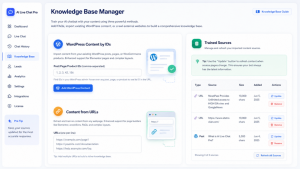
AI Live Chat PRO supports OpenAI and Grok, giving operators choice at the provider layer. But its differentiator is not simply that it can connect to a model. Its differentiator is the system around the model: content sync, retrieval, verified URL grounding, WooCommerce product facts, conversation continuity, and background indexing. Think about it: you click on a sync button, and it automatically connects to your ENTIRE Woocommerce store and landing pages, and indexes it without any manual work required – and then it adds the knowledge base for RAG vector creation, all with one click. That saves hundreds of hours. 

This distinction is important because many failures in AI chat do not come from weak language models. They come from weak grounding. A powerful model can still hallucinate a link, misquote a price, misunderstand a product, or answer from outdated assumptions if the system does not supply current verified context.

For businesses comparing AI Engine alternative options, Tidio alternative options, or any AI chat plugin for WordPress, this is the practical evaluation standard: can the assistant answer from the business’s own material accurately enough to affect operations?

In the three deployments examined here, the answer appears to be yes.

The tourism board improved visitor satisfaction because users received official answers faster. The bank improved sales efficiency because repetitive early-stage conversations could be handled without immediate human involvement. The luxury watch retailer improved product discovery because shoppers could express intent conversationally instead of relying only on filters.

Each case reflects the same principle: AI works best when it makes existing business knowledge easier to access.

Human Handoff Still Matters

One reason enterprise buyers are cautious with AI chat is that not every conversation should be automated.

A good WordPress FAQ chatbot can answer common questions. A good WordPress support chatbot can reduce support volume. But businesses still need escalation. Complex complaints, sensitive issues, custom quotes and unusual cases require human judgment.

AI Live Chat PRO includes human handoff workflows, email notifications, session history, ratings, and integrations such as Mailchimp, HubSpot, Slack and webhooks. These features matter because they place the chatbot inside a broader operational workflow rather than treating the chat interface as a standalone novelty.

In the bank deployment, this distinction was especially important. The value was not total automation. It was better routing of human attention. In the tourism deployment, it allowed routine visitor questions to be answered quickly while preserving the option for human follow-up. In the WooCommerce case, it helped shoppers navigate inventory while leaving room for support or sales involvement when needed.

This is what mature AI implementation looks like. The assistant does not pretend every conversation is simple. It handles what can be answered from verified knowledge and routes the rest appropriately.

Why These Results Matter for the WordPress Market

WordPress remains one of the largest commercial web ecosystems in the world, but its AI tooling has been uneven. Many site owners have tried basic chat widgets, messenger plugins, support boards, helpdesk integrations, or generic chatbot scripts. Some work well for messaging. Fewer work well as grounded AI assistants.

That is why the market is shifting from “add chat to WordPress” toward more specific questions:

Can a chatbot understand WooCommerce products?

Can it answer from my landing pages?

Can it respect data governance requirements?

Can it reduce support workload?

Can it improve lead qualification?

Can it help paid traffic convert?

Can it work with OpenAI or Grok without making the business dependent on model memory?

AI Live Chat PRO is interesting because the three deployments answer these questions from different angles. Public-sector customer service, regulated B2B sales and luxury ecommerce do not usually share the same software success story. Here, they do because each needed the same underlying capability: reliable conversational access to the organization’s own information.

Final Evaluation

AI Live Chat PRO’s strongest claim is not that it is a chatbot. The market has enough chatbots.

Its stronger claim is that it turns WordPress and WooCommerce content into a usable conversational knowledge layer for customers, prospects and shoppers.

That is why the three deployments are notable. The tourism board showed that an AI customer service interface can satisfy visitors when it remains grounded in official information and supports GDPR-conscious operation. The bank showed that B2B sales teams can reduce repetitive workload and improve revenue efficiency when AI handles early-stage information delivery. The luxury watch retailer showed that WooCommerce stores with large catalogues can use conversational discovery to improve the value of PPC traffic.

Those results do not come from a chat bubble alone. They come from retrieval, grounding, catalogue awareness, provider flexibility and workflow design.

For organizations evaluating a WordPress AI chatbot, AI chatbot for WordPress, WooCommerce AI chatbot, or ChatGPT WordPress plugin, the lesson is straightforward: the winner is unlikely to be the tool that merely talks the best. It will be the tool that understands the business best.

More information about AI Live Chat PRO from Sitetrail is available at https://www.sitetrail.com/plugins/ai-live-chat-pro/.


Web Design Services Pricing Explained for Startups

Web Design Services Pricing for Startups

Most startups approach web design pricing the wrong way. They get a range of $1,000 to $100,000, feel completely lost, and either lowball a freelancer or overpay an agency that sounded confident in their pitch. The problem isn’t the budget. It’s that nobody explains what’s actually being bought.

Key Takeaways

  • Price variation of 300-500% for the same project is normal and logical, but only if you understand why
  • Your startup stage should dictate your website strategy more than your aesthetic preferences
  • Fixed-price contracts protect you less than you think without a clearly defined scope
  • The most expensive mistake isnt overpaying, its building the wrong thing twice

Why Two Agencies Quote $4K and $28K for the Same Brief

This isn’t a scam. It’s a structural reality.

A boutique agency in a major city carries $40K+ monthly overhead, salaries, rent, software, sales costs. A freelancer working remotely from Lisbon carries almost none of that. When you ask both for a five-page startup site, they’re quoting entirely different business operations, not just different levels of effort.

The $28K quote might include UX research, stakeholder presentations, and post-launch support. The $4K quote might be a template dressed up with your logo. Neither is dishonest. They’re just different products wearing the same label.

Understanding Web Design Services Pricing Models

There are three models you’ll encounter, and each carries different risks.

Fixed-price projects feel safe because you know the number upfront. The risk is scope creep. The moment you ask for one more revision or change your mind about the homepage, you’re either paying extra or silently degrading the relationship.

Hourly retainers give you flexibility but create budget anxiety. Without clear milestones, it’s easy to burn $8K with nothing launch-ready to show for it.

Equity-for-design deals exist with early-stage startups. Some studios take a small equity stake instead of cash, especially if they believe in the product. It requires genuine relationship-building, not just a tight budget.

What Your Startup Stage Should Actually Determine

This is where most web design services pricing guides fail you. They give ranges without connecting those numbers to any meaningful context.

At the pre-seed stage, your site’s job is simple: explain what you do and capture emails. You don’t need custom animations or a 12-page sitemap. Budget $2K-$6K, or less with the right no-code tool.

At the seed stage, investors will look at your site. This is when custom design starts to make sense, particularly for the homepage and investor-facing content. Budget $8K-$20K.

At Series A and beyond, your website becomes a genuine business asset supporting sales, recruiting, and PR. Budget $25K+, often ongoing.

The Hidden Costs Nobody Puts in the Proposal

Copywriting is the most common omission. Most agencies design around placeholder text, then hand you a site where the words don’t work. A good copy for a five-page startup site costs $1,500-$4,000 separately. 

Photography is another line item that quietly doubles budgets. Stock photos that look generic will undermine even great design.

Hosting, CMS licensing, and ongoing maintenance are real costs that dont disappear after launch. Ask every agency for a 12-month total cost of ownership, not just the project fee.

How to Tell if a Quote Is Actually Fair

A fair proposal includes a detailed scope of work, a defined number of revision rounds, and a payment schedule tied to milestones rather than arbitrary dates. If any of these are missing, ask before signing.

If you want to see what a transparent agency engagement looks like in practice, it’s worth taking the time to visit the site of Mission Control, a web design agency that structures projects specifically around startup needs and growth stages. Seeing how a well-run agency presents its process is itself useful education, regardless of whether you hire them.

The Real Cost of Getting It Wrong

Overpaying for a website is annoying. Building the wrong website is genuinely expensive, in time, in credibility, and in the cost of doing it again.

The startups that spend their design budget wisely aren’t the ones who found the cheapest quote. They’re the ones who were clear about what they needed and chose a partner who understood their stage. Web design services pricing only makes sense in that context, not compared to a number you found in a generic listicle.

Your website isn’t a line item to minimize. Treat the budget accordingly.

FAQ

How much should a startup spend on a website?

It depends on your stage. Pre-seed startups can get an effective site for $2K-$6K. Seed-stage companies should budget $8K-$20K. Series A and beyond warrants $25K+ for a fully designed, scalable system.

Is a custom-designed website always better than a template?

No. For early-stage startups, a well-executed template with strong copy often converts better than a custom site with weak messaging.

Can I negotiate web design pricing?

Yes. The most effective lever isn’t asking for a lower rate, it’s reducing scope to fit your budget. Ask what can be phased into a second engagement.

What should a Statement of Work include?

A solid SOW specifies deliverables, the number of revision rounds, who owns the final files, and a clear change-order process for scope additions.

How long should a startup website project take?

A realistic timeline for a custom five-to-eight page site is six to twelve weeks. Agencies promising delivery in two weeks for a complex project are almost always cutting corners.

Final Thoughts

Web design pricing will always feel confusing until you stop asking how much and start asking what for. The number on a proposal means nothing without understanding what stage your company is at, what the site actually needs to do, and who is doing the work.

Most startups that overpay do so because they were vague. They showed up to agency conversations without a brief, without defined goals, and without knowing what questions to ask. The agency filled that vacuum with assumptions, and the budget reflected it.

The startups that get it right treat their website as a business decision, not a design exercise. They match the investment to the stage, pressure-test every proposal, and pick partners who understand the difference between a pre-seed landing page and a Series A growth engine.

Your website is often the first thing a potential customer, investor, or hire sees. Getting it right at the right price is absolutely possible. It just requires knowing what you are actually buying.

WPoptic: The Free Browser Extension

WPoptic: The Free Browser Extension That Instantly Reveals Any WordPress Plugins Behind a Website

If you build, maintain, or research WordPress websites, you know the struggle. A client sends you a link and asks. “Can you recreate this feature?” or “Which plugin are they using here?” You open DevTools, inspect scripts, guess directory names, and sometimes still end up unsure. That’s where WPoptic steps in. This free browser extension removes all the guesswork by detecting the plugins running on any WordPress site in seconds.

In a landscape full of tools that slow you down or hide functionality behind paywalls, WPoptic offers something refreshingly simple. Fast plugin detection, instant insights, and zero friction. It’s built for WordPress professionals who want actionable data while they work. And because it’s backed by a growing global database, WPoptic gives you insights most other tools don’t offer.

👉 Check out WPoptic here: https://wpoptic.com
👉 Download the free extension: https://chromewebstore.google.com/detail/wpoptic-detect-wordpress/nadojlfnkladkokhgiplplgnbifnjlib


What Makes WPoptic Different?

There are plugin detectors out there, but they often crawl slowly, miss data, or overload you with unnecessary extras. WPoptic takes a more precise approach.

Here’s what sets it apart:

Lightning-Fast Detection

Click the icon. Get results within seconds. No scanning delays.
WPoptic analyzes publicly visible front-end assets – scripts, stylesheets, directories, plugin signatures – and instantly matches them with the WPoptic plugin database.

Privacy-Friendly and Lightweight

No personal data is logged.
Only plugin slugs are saved to train the database and improve accuracy. This keeps the extension fast and safe to use, even for sensitive client projects.

Built for Real WordPress Workflows

Agencies, freelancers, performance specialists, plugin developers. They all use it differently. WPoptic adapts naturally to:

  • technical audits
  • competitor analysis
  • plugin research
  • rebuild planning
  • inspiration for new features
  • discovering emerging tools

If you’re maintaining multiple sites, WPoptic quickly becomes one of those “can’t live without it” tools.


How WPoptic Works Behind the Scenes

WPoptic doesn’t rely on slow crawling or server-side scanning. Instead, it uses smart pattern recognition to detect:

  • plugin directories
  • script handles
  • stylesheet references
  • asset naming conventions
  • known file structures
  • front-end framework signatures

When a plugin is identified, the extension shows you a clean, sorted list. If WPoptic finds something new, the system’s database grows automatically. Over time, this has built one of the most unique plugin-usage datasets in the WordPress ecosystem.

That dataset powers the research tools on WPoptic.com, where you can browse plugins, explore categories, and view real usage trends collected from thousands of websites.


Why WPoptic Is a Game-Changer for WordPress Pros

1. Better Website Audits

When a client wants to refresh or optimize their site, plugin visibility is one of your first steps. WPoptic lets you instantly see:

  • heavy plugins slowing down performance
  • outdated tools
  • possible security risks
  • duplicate functionality

That means you can present better recommendations right away.

2. Faster Sales and Discovery

If you pitch new clients, showing them a plugin breakdown helps you demonstrate expertise. In a few seconds, you can uncover bottlenecks or opportunities that they never noticed.

3. Competitor and Trend Research

Want to know what high-profile agencies or successful SaaS companies are using on their WordPress sites? One click and you get actionable plugin insights. This is ideal for:

  • finding new plugins
  • spotting industry trends early
  • validating tools before adopting them

4. A Growing Database for Smarter Decisions

WPoptic doesn’t just detect plugins. It builds a knowledge base from real-world usage.
This gives you:

  • plugin popularity signals
  • category trends
  • historic usage patterns
  • insights into emerging tools

It’s the type of dataset that normally only big platforms have access to.


Perfect for Developers, Designers, and Site Owners

Whether you’re crafting custom themes, optimizing WooCommerce stores, or managing dozens of sites, WPoptic enhances the way you work on WordPress. It’s one of those tools that gives you value in seconds without requiring setup, accounts, or onboarding.

Because it works fully in the browser, it’s ideal for:

  • WordPress developers
  • agencies
  • freelancers
  • content creators
  • plugin builders
  • security testers
  • educators

If your daily tasks involve WordPress, WPoptic simply makes you faster and more informed.


Try WPoptic Today

The WordPress ecosystem is massive. Every project is built differently. WPoptic gives you the clarity you need to understand what’s running behind any site. Fast. Accurate. Free.

The Role of Dedicated Hosting in Gaming: Handling Multiplayer, Latency, and Mods

The Role of Dedicated Hosting in Gaming: Handling Multiplayer, Latency, and Mods

As you will read this article, you will know or see how the role of dedicated hosting in gaming will help you understand in handling multiplayer, latency and mods. Like never before, the gaming industry has taken a sharp turn and widened its scope, primarily attributed to the millions of users who participate in competitive esports, massive multiplayer games, and community-based mods.

As exciting as the fast-paced games with stunning graphics may seem, the gaming infrastructure remains a crucial and often unnoticeable part of the system. Within the spectrum of multiplayer gaming, dedicated hosting serves and the low-cost dedicated server package remains as one of the most pivotal elements of infrastructure for low-latency and high-performance gameplay, along with seamless user-driven modding.

This article will discuss the importance of dedicated hosting along with cheap dedicated server price in contemporary gaming with an emphasis on three components: multiplayer components, latency, and mods.


Multiplayer Gaming and Dedicated Hosting

Multiplayer video games encourage socialization and interaction among users, actively engaging participants on a variety of levels. Engines such as Gearbox, Peer-to-Peer, and AvP, for example, contain sophisticated multiplayer modes, including massive battle royale sequences.

An uninterrupted experience shared among a large number of users relies on dedicated hosting. A dedicated server operates under an exclusive environment in which all game files and control data are processed and transmitted without competing for storage space with other domains. Unlike shared hosting or peer-to-peer hosting, dedicated hosting guarantees an environment.


  • Stability for users in parallel: Multiplayer games usually have dozens or even hundreds of players simultaneously engaged in interactions. For this reason, dedicated servers are more efficient, as resources are not spread across multiple clients.
  • Fair gameplay: In peer-to-peer hosting, the player who “hosts” is more likely to have an edge over others because of his/her superior connectivity. The dedicated server, as a neutral ‘middleman,’ guarantees that every player has the same opportunity by standardizing the conditions.
  • Scalability: Communities and developers can scale the resources of the dedicated server to match the size of the player base without the performance bottlenecks that commonly affect smaller setups.


In other words, without dedicated hosting, large-scale multiplayer environments would not work as reliably as users expect.

Resolving the Latency issue

Latency, that is, the time taken for data to travel to a player and a server, is one of the most important aspects when it comes to online gaming. A sliver of a second can change the entire outcome of a game. Here are some of the ways in which dedicated hosting helps resolve this issue.


  • Server placement: Dedicated hosting enables server placement by service providers in close proximity to regional players. This way, the distance the data needs to travel is smaller and thus helps reduce the lag.
  • Bandwidth: While other players may get different resources, dedicated servers are more beneficial as they guarantee the users’ network resources. Dedicated servers do not slow down in performance when dealing with high levels of traffic. This stands in contrast to the shared environment, where bandwidth bursts can interrupt.
  • Optimized routing: To eliminate the unnecessary hops that can add delay, many routing providers give out premium routing paths. This allows data packets to follow more efficient paths across the Internet.
  • Lower latency: Protection against common attacks like DDoS is built into the systems. This is essential for gaming servers that are under constant distributed denial of service attacks. With dedicated servers, the latency is kept low.


The addition of mods has made gaming far more interesting and intricate than before. Mods can add multiple custom-made levels, different skins and characters, multiple super-powerful weapons, and even new modes to the original game.


Mods and Custom Content: A Community-Driven Need

Having more than one active mod in a game will increase demand for bandwidth and low latency; therefore, dedicated servers are preferred because:


  • Resource demands increase:Shared servers will not be able to handle additional CPU, RAM, and storage, resulting in a terrible gaming experience.
  • Customization flexibility: Each Dedicated server offers ‘plug & play’ custom setups for administrators to configure settings, install mods, and configure resources for different mod setups.
  • Community building: Each modded server enables the cultivation of self-sustaining and self-generating niche communities centered around play, cooperative activities, and community evolution. The reliability of dedicated hosting enables the flourishing of these communities.
  • From modded Minecraft packs to ARK: Survival Evolved servers, custom dedicated hosts provide room for creativity and customization to players.


Final Thoughts

For a majority of the people, gaming is a hobby and a way of competing. It is worth noting that gaming relies heavily on infrastructure.The essence of hosting is dedicated to large-scale multiplayer gaming and mod creation.


To developers, gaming community server admins, or esports organizations, trust and investment are the core values to be derived from dedicated hosting in the gaming industry. It is safe to say that dedicated hosting is a key element to be able to provide the engaging and reliable experiences players expect.

The Hidden Role of SSL in WordPress Hosting Beyond Encryption


The Hidden Role of SSL in WordPress Hosting Beyond Encryption

The moment most people hear about SSL certificates, they instantly remember that small padlock symbol in the browser address bar. It’s often reduced to a single task: protecting data exchange between your website and your visitors. However, when using the cheapest hosting for WordPress, SSL does much more in secret. It does a behind-the-scenes job in performance, trust establishment, search visibility, and even how your hosting environment communicates with browsers and third-party services.

If you’re using WordPress hosting plans, understanding SSL beyond the surface-level definition is critical. Let’s explore why SSL isn’t just about scrambling data—it’s about making your hosting environment more robust, more secure, and more reliable.

SSL as a Trust Signal

Encryption is the technical aspect of SSL. The human aspect is trust. Visitors don’t run diagnostics when they hit your website—they search for instant indications of credibility. A missing SSL triggers the “Not Secure” flag in Chrome and other browsers, which is sufficient to make potential customers leave instantly.

In WordPress hosting, where small businesses, blogs, and eCommerce websites live, trust is valuable. SSL works behind the scenes to give people peace of mind before they even read a single word on your website. In a busy online environment, that peace of mind often decides whether a visitor stays to purchase or leaves.


The SEO Advantage: You Didn’t Know Was There

Google has been clear on this: SSL is a ranking factor. While it won’t push your WordPress blog to page one all by itself,  it’s a component of search engines’ assessment of your website’s quality and safety.

Search engines prefer to deliver results that won’t put their users at risk. By hosting WordPress without SSL, you’re indicating that your website is behind the times. With SSL enabled, you impart a competitive advantage to your hosting configuration. Combine it with clean WordPress optimization, and you’re not only safeguarding data—you’re safeguarding your search visibility.

Performance and HTTP/2 Compatibility

Here’s an example that most people overlook: SSL is connected with performance enhancements. New protocols, such as HTTP/2, that accelerate the way your WordPress website loads, are required on SSL.

HTTP/2 enables more than one request to be processed simultaneously rather than sequentially. The payoff? Improved load times, more seamless browsing, and happier clients. But none of it works without implementing an SSL. And so, SSL isn’t only protecting your traffic—it’s unlocking functionality within your hosting account.

SSL and E-Commerce Confidence

If your WordPress hosting powers a WooCommerce store, SSL isn’t optional—it’s essential. Customers expect checkout pages to be secure, and payment gateways won’t even integrate without SSL certificates.

But the function is deeper: SSL reassures repeat shoppers. That little green padlock isn’t a browser function; it’s a quiet sales assistant whispering to customers, “This website is safe.” Without it, your store doesn’t just lose trust—it could lose the ability to accept payments altogether.


API Integrations and Third-Party Tools

WordPress isn’t isolated. Most websites depend on third-party tools: CRMs, email marketing tools, payment processors, analytics platforms, and so on. Many modern plugins and third-party tools won’t even run without SSL, since they rely on secure API connections to exchange data safely. Hosting providers like MilesWeb include SSL  in their WordPress packages, not merely for “encryption”—but to facilitate seamless communication between your website and the tools you rely on.

Browser Compatibility and User Experience

Modern browsers aren’t cutting any slack—they keep tightening the rules. Chrome, Firefox, and Safari prevents users from visiting non-SSL websites, with some browsers blocking access altogether. For a WordPress website, that means fewer visitors, more bounces, and frustrated users.


By having SSL, your hosting setup sails through these browser tests smoothly. Visitors can enjoy your content, products, or services uninterrupted by warnings. That smoothness—something most website owners overlook—has a direct impact on conversions.

SSL and WordPress Hosting: The Key Connection

In WordPress hosting, SSL quietly holds more weight than it gets credit for.


  • Shared hosting environments: Without SSL, websites can risk transmitting data over shared server connections. SSL locks down the data exchanged on your website.


  • Managed WordPress hosting: Many providers include free SSL to make it easy to install; however, apart from convenience, it ensures WordPress core updates and plugin communications to be done securely.


  • VPS or dedicated hosting: SSL is included in hardening the environment here. It’s a building block of securing your website, as well as the server that your website resides on.


In short, SSL is built into the infrastructure of WordPress hosting—it’s not merely a checkbox option.

Free vs. Paid SSL in WordPress Hosting

You’ve probably seen hosting providers offer free SSL through Let’s Encrypt. For most WordPress websites, these certificates are more than enough.


A free SSL does the job for personal blogs, portfolios, or simple info sites. But when money or sensitive data is involved, paid SSL steps in with warranties, extended validation, and extra support—making it the safer choice for eCommerce and business websites.

The Hidden Layer of Brand Reputation

Visitors notice the padlock right away and often read it as a sign of professionalism. A WordPress website that lacks SSL doesn’t just look outdated—it gives the impression no one is managing it. Pairing SSL with reliable WordPress hosting conveys the visitors that your brand is active, trustworthy, and committed to keeping them safe. That perception alone can make you stand out among competitors who consider SSL as an unnecessary add-on service.

Closing Insights

SSL may have started as a way to encrypt data, but in modern WordPress hosting, it’s a multipurpose tool. It secures, reassures, accelerates, integrates, and enhances.

When evaluating WordPress hosting, look beyond the checkbox of ‘SSL included’. Ask how that SSL unlocks additional advantages—SEO, performance, API stability, and brand trust.


The secret work of SSL isn’t merely about securing your website; it’s about opening doors for your WordPress presence to expand safely and durably. MilesWeb includes SSL with every WordPress hosting plan, so your website stays protected, works smoothly with integrations, and earns visitor confidence from the start.


OPPO AI Phone: How the AI Eraser Feature Is Revolutionizing Photography for Turkish Users


Nowadays, smartphones have become valuable for creative, productive and expressive purposes, not only for talking to each other. OPPO, which is well known for mobile innovation, is leading the pack by adding artificial intelligence (AI) to their smartphones and calling them the OPPO AI Phone. A remarkable feature available on these phones is the AI Eraser which helps people in Türkiye and globally take and improve their photos.

The article discusses the OPPO AI Phone’s impact in Türkiye by highlighting the AI Eraser feature, how it helps users and the results it achieves in Turkish hands.

What Makes the OPPO AI Phone Special?

OPPO’s goal with its AI phones is to help all users experience AI, not just those interested in technology or photography. By including AI technology in all their products, OPPO ensures phones can recognize users, understand their habits and improve their use.

AI Eraser stands out among AI features in OPPO AI Phones because it allows its users to easily and efficiently correct their photos. This AI tool makes it possible to remove unwanted objects from pictures and makes the result clean with a few quick clicks.

How does the OPPO AI Phone AI Eraser feature work?

The AI Eraser tool uses powerful machine learning to pick out and separate any people or objects that users want to take out of their pictures. Unlike old approaches, AI Eraser speeds up the fixes by doing it automatically and very precisely.

Here’s how it functions:

  • Object Detection: The AI scans the photo to identify potential unwanted objects or photobombers.
  • Background Reconstruction: After removal, the AI intelligently fills in the background, blending textures, colors, and lighting to maintain a natural look.
  • Instant Processing: The entire process is optimized for speed, allowing users in Türkiye to edit photos quickly without lag.

This seamless editing capability makes the OPPO AI Phone a perfect companion for capturing perfect moments — whether in bustling Istanbul streets or scenic landscapes across Türkiye.

How does AI Eraser help Turkish users?

It is often difficult to take perfect photos in Türkiye because of its lively urban scenes and many places to visit. There are often distractions in each shot such as crowds or objects traveling by which make the subject less noticeable.

The OPPO AI Phone’s AI Eraser feature directly addresses these challenges:

  • Social Media Ready: Turkish users are highly engaged on social media platforms like Instagram and TikTok. AI Eraser allows them to produce polished, professional-looking photos without needing complex editing apps.
  • User-Friendly: Even users without photo editing experience can easily enhance images, encouraging creativity and self-expression.
  • Perfect for Tourism: Tourists and locals visiting iconic sites like Hagia Sophia or Cappadocia can remove distractions and preserve perfect memories.
  • Supporting Local Creators: Turkish content creators and small business owners can quickly generate attractive visuals for marketing and engagement.

OPPO AI Phone in Türkiye: Bringing AI Closer to Users

There is a reason why OPPO is so prominent in Türkiye. The company has chosen to specialize in offering services and products that suit Turkish users’ tastes, using a “For Türkiye, In Türkiye” approach.

Many OPPO models in Türkiye such as Reno and Find X series, have AI Eraser, making it easier for lots of people to benefit from AI in their photography. As stated on the Turkish OPPO website, the company aims to provide AI features on all its products so that everyone in Türkiye can use them, regardless of the phone price.

OPPO AI Phone vs Traditional Editing Tools

Traditional photo editing is usually difficult and requires you to pick areas manually, clip out backgrounds or crop the images which can reduce the quality of the picture. The OPPO AI Phone’s AI Eraser eliminates these hurdles by automating the process with:

  • Precision: Advanced AI detects objects accurately, even in complex scenes.
  • Speed: Edits happen almost instantly, ideal for users on the go.
  • Simplicity: Requires only a few taps, no technical skills necessary.
  • Quality: Backgrounds are reconstructed naturally, avoiding awkward edits or blurs.

For Turkish users balancing busy lives, this means effortlessly improving photos and sharing memorable moments instantly.

Privacy and Security on the OPPO AI Phone

Data privacy plays a vital role when using artificial intelligence in apps. With AI Eraser, OPPO processes everything on the phone, so users’ personal photos are not stored in the cloud without permission. It is most relevant for Turkish users who prioritize the security of their data.

What Does the Future Hold for the OPPO AI Phone in Türkiye?

AI Eraser is only the beginning of what’s to come. OPPO wants to keep improving AI on its phones to make sure Turkish users enjoy an even more personalized and smart experience.

Future enhancements may include:

  • Real-time AI photo editing during video capture.
  • Enhanced scene recognition and aesthetic recommendations.
  • Smarter AI assistants to guide photography based on location and user habits.

Conclusion

The AI Eraser on the OPPO AI Phone is allowing many people in Türkiye to take better photos more easily and quickly than before. With this new technology, Turkish users are able to quickly get rid of anything unwanted in their pictures, so they can share their photos or store them as memories.

Because OPPO has localized its products and applied AI across every device, Turkish users can benefit from intelligent, user-friendly services. By using an OPPO AI Phone, Turkish consumers can take beautiful and confident pictures both at home and for business purposes.

While OPPO introduces more innovations, Turkish users will have access to more useful features, turning the OPPO AI Phone into a reliable friend in their digital lives.

Streamline Your Store Management with Hippoo WooCommerce App!

Running an online store can feel overwhelming, but Hippoo! makes it simple. This powerful mobile app for Android and iOS is tailored to help you manage your WooCommerce orders, products, and inventory with ease. With a user-friendly interface and robust features, Hippoo! simplifies operations, keeps you organized, and helps your business thrive.


With the Hippoo Woocommerce app you can effortlessly monitor your stock levels and receive alerts when items are running low. This ensures that you never run out of popular products and can restock in time to meet customer demand. Additionally, Hippoo! allows you to create and manage coupons to boost your sales and attract new customers. You can also track and manage customer reviews, which helps improve your store’s reputation.

To utilize all the features of Hippoo!, make sure to install the accompanying free Hippoo WooCommerce plugin on your WordPress website. This ensures seamless integration and allows you to take full advantage of all the app’s capabilities.


Key Features of Hippoo!

Effortless Order Fulfillment:

Easily view, manage, and fulfill orders on the go. Hippoo provides a user-friendly interface that allows you to efficiently process and track orders, ensuring timely delivery and customer satisfaction.

Intuitive Product and Inventory Management:

Seamlessly manage your products and inventory with Hippoo! Keep track of stock levels, update product information, and stay informed about recent out-of-stock products. With just a few taps, you can maintain accurate inventory records and avoid overselling.

Quick Barcode Scanning:

Hippoo! offers a convenient barcode scanning feature that enables you to find products swiftly by scanning product barcodes or SKUs. This saves valuable time and ensures accurate product identification, simplifying the order fulfillment process.

Simplified Order Tracking:

Scan order ID barcodes effortlessly to instantly retrieve order details. With Hippoo!, you can easily track the status of orders, view important information, and keep customers informed about their shipments, fostering a positive shopping experience.

Create Coupons:

Boost sales and engage customers by generating custom coupons directly within the Hippoo! app. Create enticing discounts and promotions to incentivize purchases and build customer loyalty.

Customer Product Reviews:

Stay updated on customer feedback by accessing recent product reviews within the app. Gain valuable insights into your customers’ experiences, identify areas for improvement, and respond promptly to enhance satisfaction.

Sales Reports:

Hippoo! provides comprehensive sales reports that empower you to make data-driven decisions. Gain visibility into your shop’s performance, track sales trends, identify popular products, and optimize your strategies for maximum profitability.

Exciting New Features

Hippoo Android Report Widget:


Stay informed effortlessly! Access your updated weekly reports right from your Android homepage with our new widget feature. This ensures that you are always up-to-date with your store’s performance without having to open the app.


Custom Fields for Orders:

Take control of your order custom fields like never before. Now, you can add, update, or remove custom fields directly within the Hippoo app. This feature provides greater flexibility and customization to meet the unique needs of your business.

Hippoo! is the perfect solution for WooCommerce store owners who want to streamline their operations, enhance customer satisfaction, and drive sales growth. Install the Hippoo WooCommerce plugin today and transform the way you manage your online store.

Top Benefits of Implementing Email Risk Analysis Software

In an increasingly digital landscape, organizations are confronted with a myriad of cybersecurity threats, particularly in their email communications. As one of the most common vectors for cyberattacks, emails can expose businesses to risks such as phishing, malware, and data breaches. To mitigate these threats, the implementation of email risk analysis software has emerged as a critical strategy for safeguarding sensitive information and maintaining organizational integrity. This innovative technology offers a comprehensive approach to identifying vulnerabilities, analyzing email traffic, and providing actionable insights that enhance overall security posture. By leveraging advanced algorithms and machine learning, email risk analysis software not only detects potential threats but also empowers organizations to proactively manage risks before they escalate into significant issues. In this article, we will explore the top benefits of integrating email risk analysis software into your cybersecurity framework, underscoring its role in improving threat detection, fostering compliance, enhancing operational efficiency, and protecting brand reputation. As businesses navigate the complexities of the modern digital environment, understanding these benefits can be instrumental in fortifying defenses and ensuring the resilience of email communications.

Enhances security by identifying phishing threats effectively

The ability to effectively identify phishing threats is crucial for safeguarding sensitive information and maintaining the integrity of communications within an organization. By employing advanced algorithms and machine learning techniques, email risk analysis software can analyze incoming messages for suspicious patterns and known indicators of phishing attacks. This proactive approach not only helps in detecting potential threats before they reach the inbox but also minimizes the risk of human error, which often plays a significant role in successful phishing attempts.

Moreover, by continuously updating its threat database and learning from new attack vectors, this software adapts to the evolving landscape of cyber threats. As phishing tactics become increasingly sophisticated, the software’s enhanced detection capabilities ensure that organizations remain one step ahead of cybercriminals. This not only bolsters the overall security posture but also fosters a culture of awareness among employees, empowering them to recognize and report potential phishing attempts, thereby contributing to a more resilient organizational environment.


Improves compliance with industry regulations consistently

Maintaining compliance with industry regulations is essential for organizations operating in highly regulated sectors such as finance, healthcare, and telecommunications. Email risk analysis software plays a crucial role in this aspect by providing organizations with the tools necessary to monitor and manage their email communications effectively. By identifying potential risks and violations in real-time, the software ensures that organizations adhere to regulatory requirements related to data privacy, security, and communication protocols. This proactive monitoring not only mitigates the risk of costly fines and legal ramifications but also enhances the organization’s credibility and trust with clients and stakeholders.


Furthermore, the analytical capabilities of this software enable organizations to generate comprehensive reports and audits, demonstrating compliance efforts to regulatory bodies. By maintaining a consistent focus on compliance, organizations can confidently navigate the complexities of regulatory frameworks while fostering a culture of accountability. In doing so, they not only protect their assets and reputation but also position themselves as responsible and trustworthy entities in a competitive marketplace.

Reduces the risk of data breaches significantly

The implementation of email risk analysis software is instrumental in significantly mitigating the risk of data breaches. By continuously monitoring email traffic, the software can identify suspicious patterns and anomalies that may indicate unauthorized access or potential phishing attempts. This real-time detection allows organizations to respond swiftly to threats, thereby preventing sensitive information from being compromised or leaked. Additionally, by utilizing advanced encryption and data loss prevention features, the software safeguards against accidental data exposure, further enhancing the organization’s security posture.


Proactive risk management is essential in today’s digital landscape, where cyber threats are constantly evolving. By analyzing email communications for vulnerabilities, organizations can implement targeted training and awareness programs for employees, fostering a culture of security mindfulness. This holistic approach not only fortifies defenses against external attacks but also minimizes internal risks associated with human error. Ultimately, the use of email risk analysis software not only protects proprietary and customer data but also reinforces stakeholder confidence in the organization’s commitment to cybersecurity.


Increases employee awareness of email threats

Enhancing employee awareness of email threats is a critical component of a robust cybersecurity strategy. By incorporating insights gained from email risk analysis, organizations can educate their workforce about the various types of phishing schemes, social engineering tactics, and other email-based threats that could jeopardize their information security. Employees become more adept at recognizing suspicious emails and are better equipped to respond appropriately, which significantly reduces the likelihood of successful attacks.


Furthermore, regular training sessions and updates based on the latest threat intelligence can build a more resilient workforce. When employees understand the nature of email threats and the potential repercussions of a security breach, they are more likely to adopt best practices, such as verifying sender addresses and exercising caution with unsolicited attachments. This heightened awareness not only protects individual users but also serves to enhance the overall security posture of the organization, creating a fortified defense against evolving cyber threats.


Streamlines incident response with automated alerts

Automated alerts play a pivotal role in enhancing incident response by ensuring that potential threats are identified and communicated swiftly. This proactive approach minimizes the delay in addressing security incidents, allowing IT and security teams to focus their efforts on containment and remediation rather than on identifying the initial breach. By streamlining the process of alert generation, organizations can significantly reduce the time it takes to respond to incidents, thereby limiting the potential damage and enhancing overall cybersecurity posture.


Moreover, automated alerts provide real-time insights into emerging threats, enabling teams to stay ahead of evolving tactics employed by cybercriminals. This not only fosters a more agile response framework but also facilitates improved collaboration among stakeholders. With clear, actionable alerts, teams can prioritize their responses based on the severity of incidents, ensuring that the most critical issues are addressed first. As a result, organizations can maintain operational continuity while effectively safeguarding their digital assets against a backdrop of ever-increasing cyber threats.


Conclusion

Implementing email risk analysis software offers organizations a robust solution to enhance their cybersecurity posture and protect sensitive information. By proactively identifying potential threats, streamlining compliance efforts, and providing detailed insights into email communications, businesses can significantly reduce the risk of data breaches and phishing attacks. As cyber threats continue to evolve, investing in such software not only safeguards an organization’s assets but also fosters a culture of security awareness among employees. Ultimately, the strategic adoption of email risk analysis tools is essential for any organization looking to navigate the complexities of today’s digital landscape while ensuring the integrity and confidentiality of their communications.


To explore more, you can check our website to roam different articles that might help you:   https://www.wpfreeware.com/our-blog/


7 Best Free Web Hosting Providers for Students In 2024-25

Web hosting services provide a means through which your website content will be accessible on the internet. These solutions can be helpful for many applications such as blogs, virtual stories, systems, etc. It offers advantages from better performance to great security. For instance, if you are a student launching a website for your project, you will need web hosting that can keep your data safe. These providers can assist in storing your data and making it available all over the globe.

Typically, such hosting plans are purchased but there are some good free web hosting providers to rent you a space on the physical server. The characteristics of these good websites vary according to the persona; there is a basic checklist that all sites need. Choose an option that has good speed, safety, content and conversation optimisation. The write-up below will serve a similar purpose. We will inform you of the best free web hosting provider that every student must consider to improve the website’s performance. This information will also provide website hosting necessary knowledge that can be helpful for the learners to write their assignments. However, if you find it insufficient, then assignment writing services can offer you viable insights. Continue reading to broaden your knowledge and skills domain!


Top 7 Free Web Hosting for Students

We all know that online presence can boost your business. This compels students to look for the best ways to make a professional image in the online market. Whether it’s about making a portfolio, building a website or launching a start-up, the web hosting solution is your ultimate need. Also, for many web designers, it is difficult to meet the expenses of their big projects as they are involved in multiple activities at once, such as meeting university expenses or spending on numerous projects.

Here, finding a cheap web hosting option offers viable solutions. The section below will address similar concerns for you.

1. Kamatera

This cloud web hosting is a scalable server that can meet your needs at every stage. It might be the best option for you as it offers a free trial of its premium versions. This way, you can make a wise choice of whether to opt for it or not. Some of the noticeable specifications of this provider are given below.

  • It can protect your cloud servers with firewall protection.
  • The workload is evenly distributed across the server.
  • It offers 4 server CPU types to choose from.
  • It prioritises your security via features like DDOS protection.

2. Hostinger.com

This web page hosting can be a suitable option for personal blogs and e-commerce websites. This best web hosting for WordPress is secure because of the following reasons.

  • It has exclusive features like Cloudflare protection and SSL certifications.
  • All the data is auto-back.
  • It has a RAM range of 768MB to 1024MB.
  • Its disk space can be up to 100GB.
  • You may also use it to register for domains.

3. IONOS.com

It is a cloud partner for small businesses. Consider it like a “one-stop shop” for all of your digital needs. Some of its best features that you must take note of are,

  • It offers you an option for business emails for just $1/month.
  • This server hosting claims a climate-neutral future.
  • It is an affordable domain registrar.
  • You can easily start your new setup here by installing WordPress.

4. HostArmada.com

It is a privately owned web hosting company that introduces you to innovative ideas. The company offers solutions like DDOS protection, free malware scan, daily backup, etc. Some other specifications of these web hosting sites include,

  • It offers 15 GB to 40 GB SSD storage.
  • It owns a 2 to 6-core CPU.
  • In many servers, RAM may store up to 6GB of data.
  • It is connected with an almost 7000 Mbps network that allows zero delay in connectivity.

Moreover, there may be some variations in the features that you can be aware of by deep study and writing in your academic projects such as assignments. However, if you need some expert assistance in such write-ups due to your inexperience, then hiring an assignment writer can grant you various benefits. These experts are well-versed in making any claim unless solid arguments back it up.

5. Bluehost.com

It is a leading provider which is empowering countless websites across the globe. It might be a good option for websites with high traffic or complex user cases. This server may offer you secure solutions due to the following reasons.

  • It offers a free drag-and-drop site builder.
  • You can get a free domain name for one year.
  • It gets exclusive support for international domain names.
  • This Google web hosting offers optimised CPC to provide good processing power.

6. InMotionHosting.com

This privately owned worldwide provider offers cloud-based solutions. Since 2001, it has been dedicated to providing the best software and hardware. Catering to your specific needs, you can benefit from it in the following manner.

  • It offers 400 applications that can be installed in a single click.
  • It has advanced CPU specifications such as clock speed, cache, front-side bus intel QPI, etc.
  • It boasts an impressive 512GB DDR4 RAM.
  • It offers cPanel features such as domains, emails, FTP accounts, etc.

7. HostGator.com

This global provider was founded by Brent Oxley at Florida Atlantic University. Since then, it has grown a dedicated web hosting server.  Here, you will find some associated perks if you use these solutions to boost your site performance.

  • It allows you hassle-free server configuration.
  • It provides services like WordPress, builder, VPS, etc.
  • Its bandwidth is limited from 500 GB to 1000 GB.
  • It offers SEO services to get good traffic on your website.

What Are The 3 Types of Web Hosting?

Three of the most popular web hosting that may be suitable for your website include,

  • VPS Hosting- Here, the virtualised server is shared with multiple servers.
  • Shared Hosting- Here, multiple sites share resources on a similar server.
  • Dedicated Hosting- Here, an entire server is dedicated exclusively to your website.

What Is the Difference Between a Web Server and A Web Host?

Both web hosting and server help you in smooth website operation. However, both differ in the specific function they play. As we have discussed above web hosting allows data to be available on the internet for users by giving them access to the websites. On the other hand, the web server stores files so that they are accessible online.

Conclusion

Web hosting is crucial as it makes your site accessible unless it is hosted on a server. This is how people operate small or large businesses. They can store the content on their website. Above, we have given a list of web hosting companies for students who can’t afford big project operations. Such learning offers them a versatile platform for learning and professional development. This is how they manage their digital spaces and use this valuable knowledge to write their assignments.

Writing such academic projects will broaden their perspective of domain hosting. However, if you are stuck managing these computing processes and can’t find time to write your assignments, then buy assignments online to ensure the timely submission of tasks. These experts can efficiently use technical jargon so that you will not be disappointed with the outcomes.